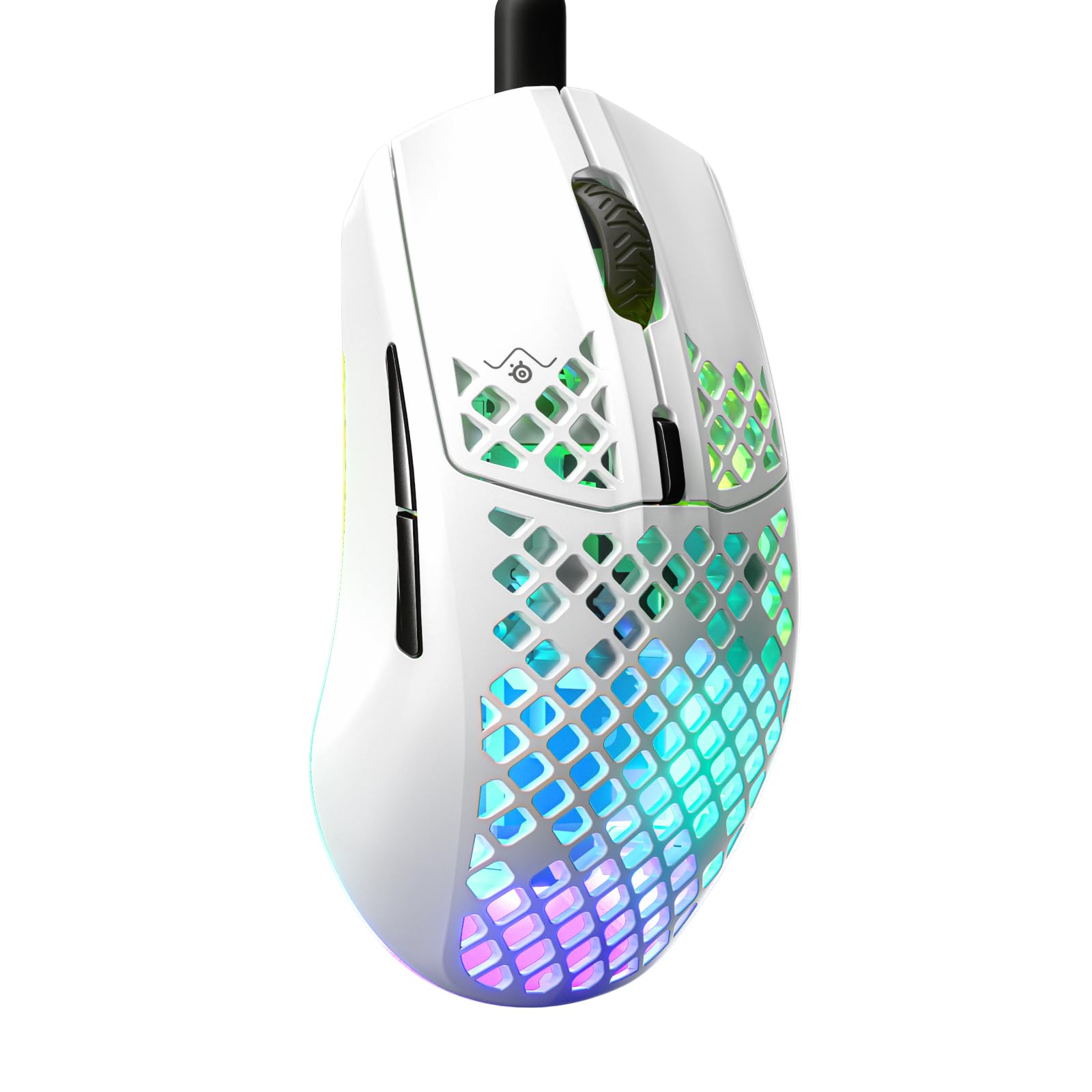
The SteelSeries Aerox 3 Gaming Mouse review comes down to a clear balance: a 59 g perforated shell, gaming-focused optical tracking, and configurable three-zone RGB in a wired design.
It suits players who value a light feel and distinctive lighting, provided the compact, open shell and cable fit their desk and grip.
Aerox 3 Mouse Review Summary
The quick verdict
800+ ratings
Read Amazon ReviewsSteelSeries Aerox 3
A strong fit for gamers who want a light, wired mouse with customizable RGB and splash- and dust-resistant design features.
- 59 g weight with a perforated shell designed to reduce weight.
- TrueMove Core optical gaming sensor is named in the feature bullets; the longer product copy instead names TrueMove Air.
- AquaBarrier protection rated IP54, described as shielding the interior from water splashes, dust, and dirt.
- Golden Micro switches with an IP54 rating and added dust and water resistance.

Pros
- Very low listed weight may suit players who prefer an easy-to-move mouse.
- IP54-rated protection is specified for both the interior barrier and switches.
Consider before buying
- The wired design may be inconvenient for buyers who want a wireless desk or travel setup.
- The perforated shell is an open design; buyers who prefer a solid, enclosed surface may want to handle it before choosing.
Read the full review summary
The Aerox 3 is built around low weight. Its holey shell brings the mouse to 59 g, and its shape is designed for easy swipes and extended comfort.
That combination may appeal to players who make frequent, quick movements or simply prefer a lighter mouse in hand.
The product description identifies the sensor as TrueMove Core in its feature bullets and TrueMove Air in the longer copy, so buyers should check the precise sensor specification for the version they are considering.
AquaBarrier protection is rated IP54 and described as shielding the interior from water splashes, dust, and dirt; the switches also carry an IP54 rating.
These details add a measure of protection for ordinary desk use, while the RGB system offers 16.8 million configurable colors across three zones.
It is a wired mouse, so it makes most sense for a gaming setup where its cable is acceptable and wireless operation is not a requirement.
The buying factors
Aerox 3 Mouse Scorecard
Editorial scores reflect listed features and buyer fit; they are not laboratory measurements or customer ratings.
Lightweight design
The 59 g holey shell is the defining feature and favors buyers who want a light mouse for quick swipes.
Gaming focus
An optical gaming sensor and gaming-oriented design make it a focused choice for PC play.
Protection features
The AquaBarrier and switches have IP54 ratings, with protection described for splashes, dust, and dirt.
RGB customization
Three-zone PrismSync lighting supports configuration across 16.8 million colors.
Comfort potential
The shape is designed for comfort over extended use, though grip fit is personal.
Desk flexibility
Its wired format is straightforward for a fixed setup but does not offer wireless freedom.
Key Features and Specifications of Aerox 3 Mouse
- 59 g weight with a perforated shell designed to reduce weight.
- TrueMove Core optical gaming sensor is named in the feature bullets; the longer product copy instead names TrueMove Air.
- AquaBarrier protection rated IP54, described as shielding the interior from water splashes, dust, and dirt.
- Golden Micro switches with an IP54 rating and added dust and water resistance.
- Three-zone PrismSync RGB configurable across 16.8 million colors.
- Wired connection and a shape designed for easy swipes and extended comfort.
Pros and Cons of Aerox 3 Mouse
Pros
- Very low listed weight may suit players who prefer an easy-to-move mouse.
- IP54-rated protection is specified for both the interior barrier and switches.
- Three-zone RGB provides substantial color customization.
- The gaming-focused optical sensor and lightweight shape suit a dedicated gaming setup.
Consider before buying
- The wired design may be inconvenient for buyers who want a wireless desk or travel setup.
- The perforated shell is an open design; buyers who prefer a solid, enclosed surface may want to handle it before choosing.
- The product copy uses two different sensor names, so check the exact model specification before buying.
Who Should Buy Aerox 3 Mouse?
Good fit
Consider the Aerox 3 if a lightweight wired gaming mouse is your priority.
At 59 g, its perforated shell is intended to make swipes feel easy, while the gaming-oriented optical sensor gives it a clear role at a PC gaming desk.
The shape is described as optimized for comfort during extended use, but shape preferences vary: if possible, compare its dimensions and contour with a mouse you already find comfortable.
Its protection details make it a reasonable candidate for a desk where minor splashes, dust, or dirt are a concern.
AquaBarrier and the switches carry IP54 ratings, but those ratings should be understood as the product's stated protection level rather than a reason to expose the mouse deliberately.
The configurable RGB system is another plus for buyers who want lighting that can be coordinated with a gaming setup.
Before ordering, confirm the sensor version for the specific Aerox 3 edition and make sure a wired connection works with your desk layout.
If those points check out, the combination of low weight, gaming focus, and RGB makes it a worthwhile option to compare.
Who should skip it
Look elsewhere if wireless operation is essential or you want a mouse primarily for mobile work and device switching.
The Aerox 3 is presented as a wired gaming mouse, so its design is centered on a fixed gaming setup.
It may also be a poor fit if you strongly prefer a solid shell or cannot confirm that its shape works for your grip.
Lightweight design is the central attraction, but it does not make a mouse comfortable for every hand or play style.
SteelSeries Aerox 3: What Its Lightweight Design Means
A light shell for quick movement
At 59 g, the Aerox 3 puts low weight at the center of its design. That may appeal to players who often reposition the mouse or favor quick, broad swipes.
The perforated shell is part of that approach; buyers should consider whether they like its feel and appearance before committing.
Protection for everyday desk use
AquaBarrier and the switches are rated IP54, with protection described against splashes, dust, and dirt. That is a practical design consideration for a gaming desk, but it does not make the mouse suited to intentional exposure to liquids.
Keep the rating in perspective and use ordinary care around drinks and debris.
Sensor naming and the wired setup
The supplied product copy names TrueMove Core in its bullets and TrueMove Air in its longer description. Because the naming is inconsistent, confirm the precise sensor in the exact edition you plan to buy.
The wired connection is also a defining fit question: it works naturally for a stationary setup, but buyers seeking a cable-free desk should choose a different design.
Lighting that can match a setup
Three-zone PrismSync RGB offers configurable lighting across 16.8 million colors. This gives buyers room to tailor the mouse's appearance, although lighting is secondary to grip, weight, and connection type when choosing a daily gaming mouse.
Alternatives to Aerox 3 Mouse
Computer Mice alternative
1,000+ ratings
Read Amazon ReviewsJLab GO Charge Wireless Mouse
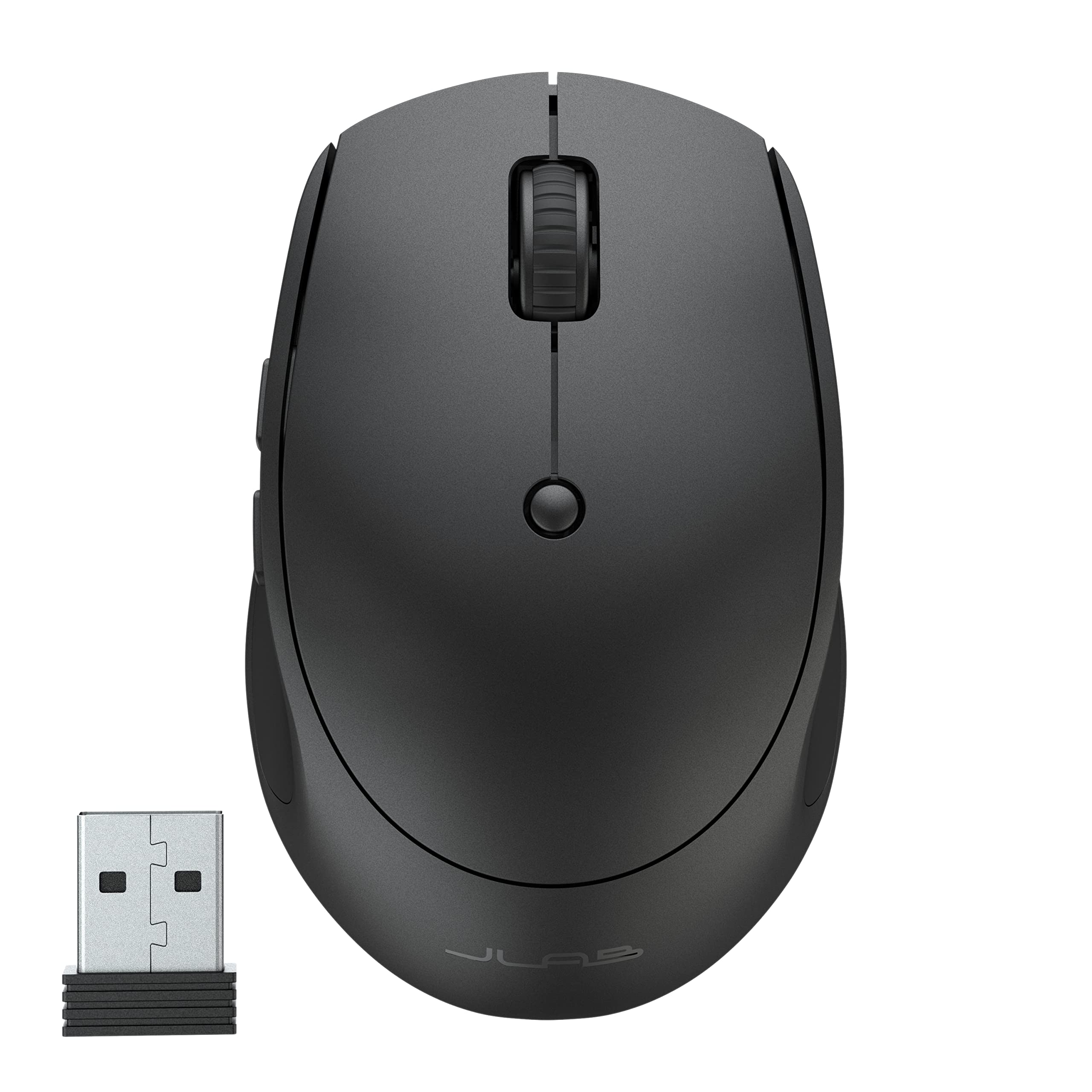
Choose the Aerox 3 for its lightweight gaming design and RGB at a wired setup. The JLab is a better match for portable work, multi-device switching, and wireless connectivity.
- The JLab GO Charge is a compact wireless work mouse that connects by Bluetooth or USB wireless dongle, can pair with three devices, and has adjustable tracking and rechargeable power.
- The Aerox 3 is a 59 g wired gaming mouse with a holey shell, gaming-focused optical tracking, and three-zone RGB.
Computer Mice alternative
1,000+ ratings
Read Amazon ReviewsNulea M504 Wired Vertical Mouse
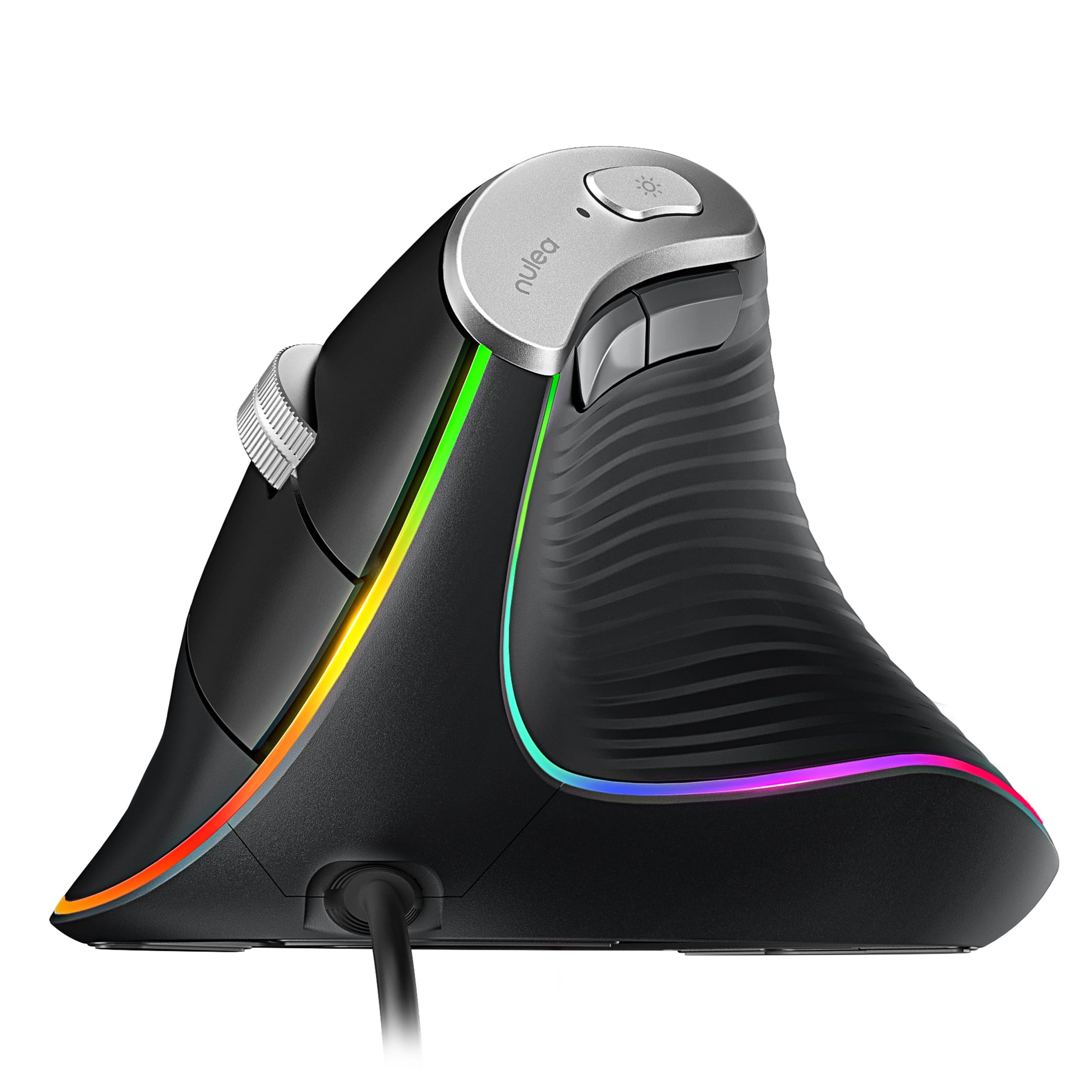
Choose the Aerox 3 if you want a lightweight mouse shaped for gaming swipes. The Nulea is worth considering if a vertical grip is your priority and its platform limitations suit your setup.
- The Nulea M504 uses a 57-degree vertical design, four adjustable DPI levels, six buttons, and wired USB connectivity; its forward and backward buttons are not compatible with macOS.
- The Aerox 3 emphasizes low weight, gaming-oriented tracking, and a conventional gaming mouse shape.
Is Aerox 3 Mouse Worth It?
The SteelSeries Aerox 3 is worth considering for gamers who want a light wired mouse with customizable RGB and specified IP54 protection features.
Its 59 g shell gives it a clear design identity, and the gaming-oriented feature set is focused rather than work-first.
Check that you are comfortable with the perforated shell, wired connection, and the exact sensor specification for the edition you are buying.
If those details fit your preferences, the Aerox 3 is a compelling candidate for a dedicated gaming desk.
Your review at a glance
800+ ratings
Read Amazon ReviewsSteelSeries Aerox 3
A strong fit for gamers who want a light, wired mouse with customizable RGB and splash- and dust-resistant design features.
- 59 g weight with a perforated shell designed to reduce weight.
- TrueMove Core optical gaming sensor is named in the feature bullets; the longer product copy instead names TrueMove Air.
- AquaBarrier protection rated IP54, described as shielding the interior from water splashes, dust, and dirt.
- Golden Micro switches with an IP54 rating and added dust and water resistance.